

Webflow + GoHighLevel · Tampa Bay
Webflow up front, GoHighLevel behind it, and no lead left sitting in an inbox.
Your Webflow site wins the visit. GoHighLevel books the appointment, sends the follow-up text and tracks the deal. We connect the two for Tampa Bay businesses so every call, form and booking lands in one pipeline.
What you get
What is a Webflow and GoHighLevel integration?
A Webflow and GoHighLevel integration connects a Webflow website to GoHighLevel, a CRM and marketing platform. GoHighLevel calendars, forms, surveys and chat widgets are embedded on Webflow pages, or Webflow form fills are sent to GoHighLevel. Each lead then lands in a pipeline with automatic texts, emails and reminders.
Booking calendars
GoHighLevel calendars embedded on your service pages, so buyers can book a visit without calling.
Forms that feed the CRM
GoHighLevel forms on Webflow pages, or Webflow forms sent to GoHighLevel, with fields mapped to contacts.
Chat and text-back
The GoHighLevel chat widget on your site, so visitors can start a text conversation.
Source tracking
Each embed tagged by page, so you can see which service page or ad brought in each booking.
Follow-up automations
Confirmation texts, reminders and follow-up emails that start the moment a lead comes in.
Styled to match
Embeds sized and styled to sit cleanly inside your Webflow design on desktop and phone.
How it works
How we connect Webflow and GoHighLevel.
- 1We map how leads come in today, from calls and forms to bookings and chat, and where each one ends up.
- 2We set up or clean up the GoHighLevel calendars, forms and pipeline stages.
- 3We place the embeds on the right Webflow pages, tagged by page so sources are clear.
- 4We build the follow-up texts and emails, then send test leads through every path.
- 5We show your team where to see new leads and how to move them through the pipeline.
GoHighLevel bills for its own account, and Webflow bills for your site plan.
Proof before you book
We run the same setup on our own sites.
The booking calendar at the bottom of this page is a GoHighLevel calendar on a Webflow site, set up by our team. It is the same setup we build for clients.
5
current Google Skillshop certifications, Google Analytics and Google Ads Search among them.
Meet the team →2026
Best of the Best Website Design winner, from a team building brands and websites since 2010.
See our work →“The quality of their work was well beyond what I expected.” Justin, Google review.
Pricing
Simple, fixed prices.
Prices are posted, not hidden. You get the exact price in writing before any work starts.
Website builds
From $995
- ✓Landing page: $995
- ✓5-page website: $2,495
- ✓10-page website + blog: $4,495
- ✓Custom builds: quoted on a call
Webflow On-Demand
From $895/mo
- ✓Starter: $895/mo
- ✓Growth: $1,695/mo
- ✓Team: $2,495/mo
- ✓Pro & Agency: $3,495/mo
Hosting & care
From $85/mo
- ✓Website hosting: $85/mo
- ✓Website care: $225/mo
- ✓Month to month, no long contracts
- ✓You own your site, domain and content
Your Webflow site plan is paid to Webflow directly (webflow.com/pricing).
Common questions
Webflow and GoHighLevel questions, answered.
Can GoHighLevel forms and calendars go on a Webflow site?
Yes. GoHighLevel gives each calendar, form and survey an embed code. We place that code on your Webflow pages, size it to fit your design and tag it by page. The booking calendar on this page works that way, and leads go straight into GoHighLevel.
Should I use Webflow forms or GoHighLevel forms?
It depends on what happens after the form. If you want instant texts, pipeline stages and reminders, a GoHighLevel form is the simpler path. If you want Webflow's native form styling, we can send Webflow form fills to GoHighLevel with a webhook or a connector tool. We will suggest one on the call.
Why not build the whole site in GoHighLevel?
GoHighLevel has a site builder, but Webflow gives you more design control, a stronger CMS and finer SEO settings. A common setup is Webflow for the public site and GoHighLevel for everything after the lead comes in. That split plays to each tool's strengths.
How much does it cost to connect Webflow and GoHighLevel?
Your Webflow plan is paid to Webflow, as listed at webflow.com/pricing, and GoHighLevel bills for its own account. Our fee depends on how many calendars, forms and automations we build. It comes in writing after a 30-minute call, and nothing starts until you approve it.
Can you fix a GoHighLevel setup someone else built?
Yes. Inherited accounts often have calendars nobody uses, forms that go nowhere and automations that text the wrong people. We review the account, keep what works, fix what is broken, and connect it properly to your Webflow site. You get a plain list of what changed.
Related Webflow services in Tampa Bay
More ways to turn visits into booked work.
Let's talk about connecting your site and CRM.
Bring your Webflow site and your GoHighLevel questions. Mike will map where leads come in today and where they get lost.
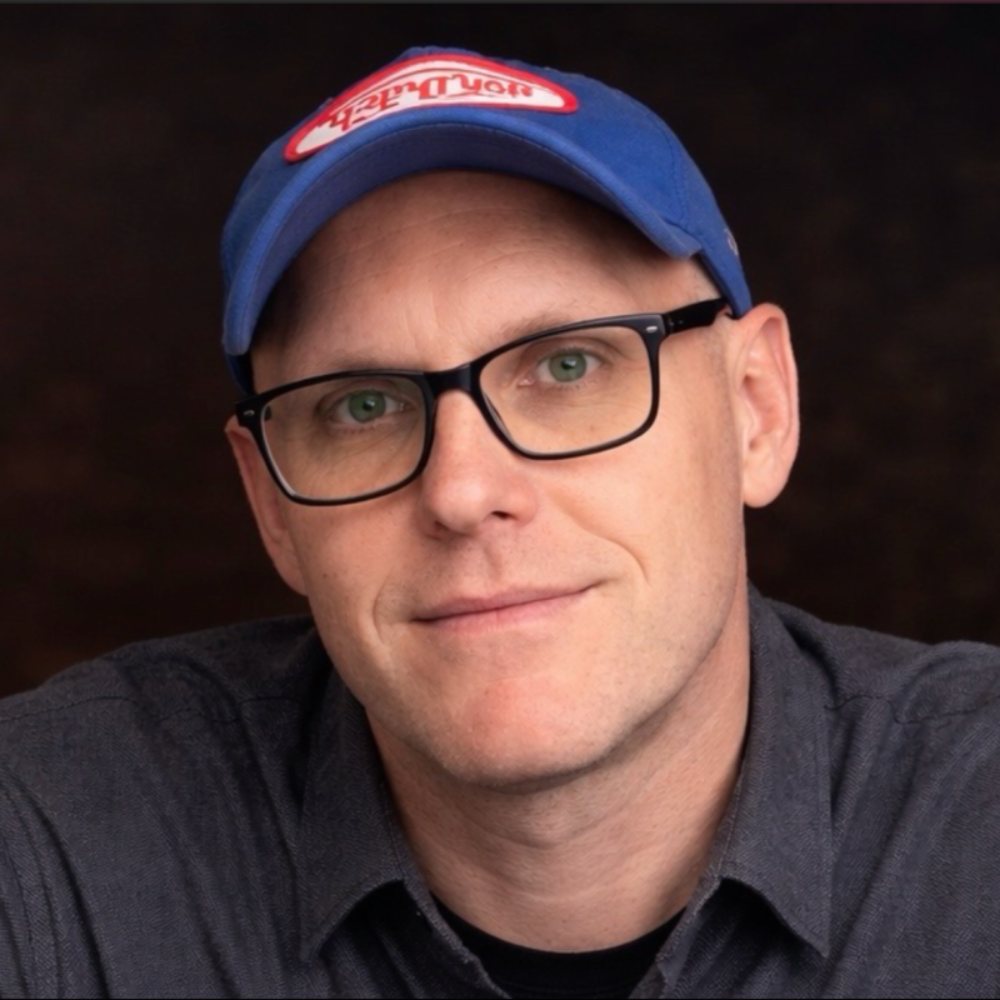
Mike Carleton
Founder, Forty-Second Street · Wesley Chapel, FL
30+ years of brand building. Our team has made websites since 2010, and every new one is built in Webflow.
Or call (813) 564-0500. Our office is in Wesley Chapel, and we build Webflow sites for businesses all over Tampa Bay.